Compatibility
Minecraft: Java Edition
Platforms
Supported environments


Creators

Details
🌏 ShadowCrates
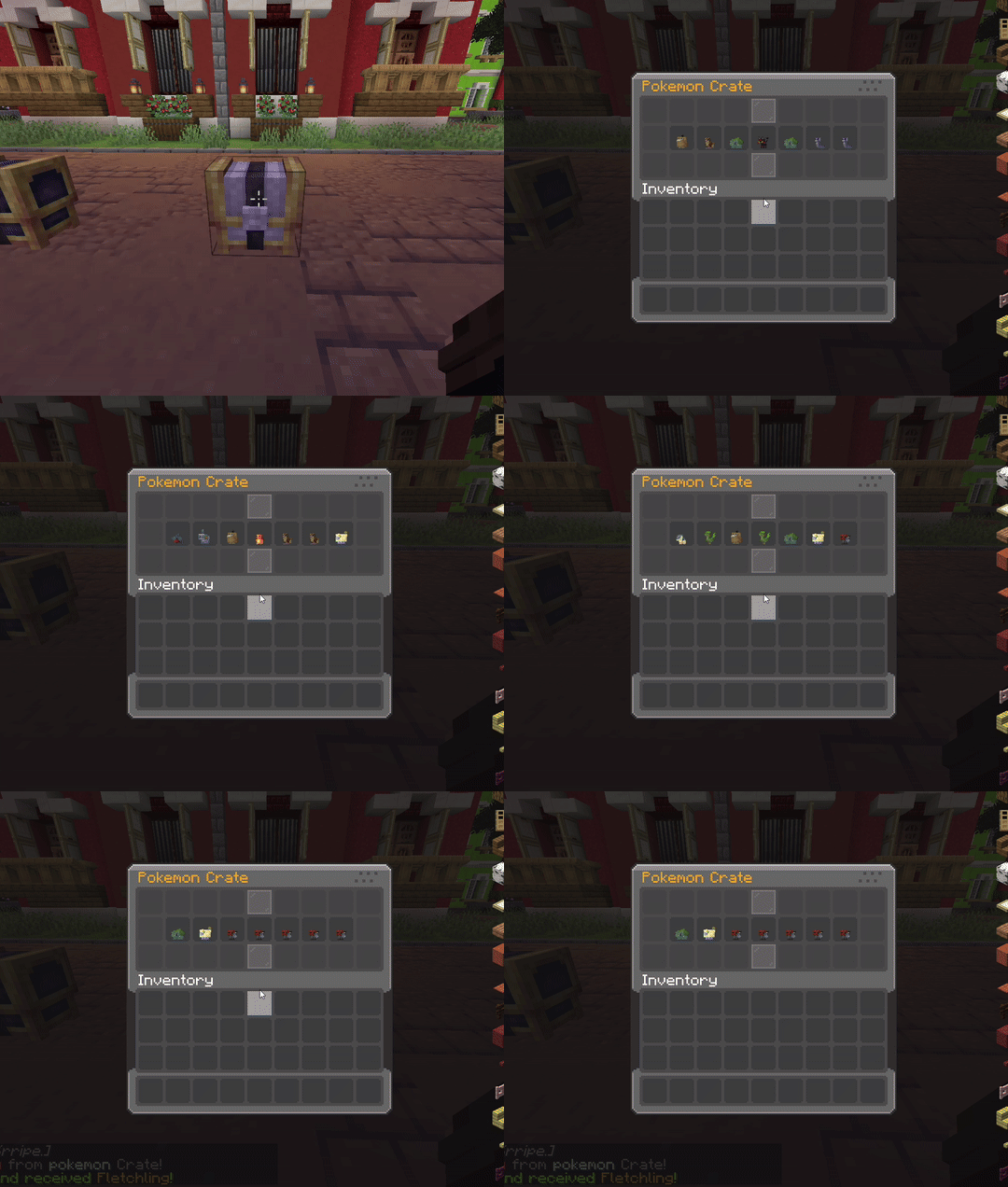
ShadowCrates is a fully customizable Crate System for Minecraft Fabric servers. It allows server administrators to create, configure, and manage crates that players can open using special crate keys. With customizable animations, sounds, and rewards!
📜 Features:
- ✅️ Fully Configurable Crates - Define crates in JSON format, including rewards, animations, sounds, particle effects, and key items.
- ✅️ Custom Enchantment & NBT Support - Rewards retain all item properties, including enchantments, custom model data, and atributes.
- ✅️ Configurable Animations - Set the number of animation steps and intervals for crate opening effects.
- ✅️ Particle Effects - Choose different particle effects per crate for a visually appealing opening sequence.
- ✅️ Permission-Based Access - Restrict specific crates using LuckPerms or any permission plugin.
- ✅️ Command Execution - Run custom commands when a player wins a reward.
- ✅️ Custom Sounds - Play unique sounds when opening a crate or winning a reward.
- ✅️ Language & Message Customization - Edit all messages, GUI titles, and lore with full RGB color support.
- ✅️ Crate Location System - Assign crates to specific blocks in the world, allowing physical crate locations.
- ✅️ Backup System – Automatic & manual backup creation in
/config/shadowcrates/backups/, with JSON restore support. - ✅️ Database Support – Use SQLite or MySQL to store all crate data (keys, prizes, crate blocks). Auto migration + backup included.
- ✅️ Powerful GUI System – Preview crates, claim stored prizes, and view virtual keys with fully customizable menus.
- ✅️ Virtual Key System – Players can store keys virtually, preventing duplication exploits.
- ✅️ Support for Cobblemon Items – Render Pokémon items (e.g. pokemon:abra) as prize icons and display items in GUIs.
⚙️ Commands:
Spoiler
/crate create <name>➜ Create a new crate./crate delete <name>➜ Delete an existing crate./crate reload➜ Reload all config files./crate set <name>➜ Set crate on targeted block./crate unset <name>➜ Remove crate from block./crate key give <crate> <amt> <player>➜ Give virtual or physical keys./crate key storage➜ View your stored keys./crate storage➜ Claim prizes stored items./crate clearstorage <player>➜ Deleting items from storage./crate backup now➜ Manually create a backup./crate backup restore➜ Restore from the latest backup./crate key clear <player>➜ Clear keys for player./crate key count <player> <crate>➜ See stored key count./crate key giveall <amount> <player>➜ Give all keys to a player.
🔒 Permissions:
Spoiler
crate.create➜ for /crate createcrate.delete➜ for /crate deletecrate.reload➜ for /crate reloadcrate.set➜ for /crate setcrate.unset➜ for /crate unsetcrate.storage➜ for /crate storagecrate.clearstorage➜ for /crate clearstoragecrate.key.give➜ for /crate key givecrate.key.storage➜ for /crate key storagecrate.key.clear➜ for /crate key clearcrate.key.count➜ for /crate key countcrate.key.giveall➜ for /crate key giveallcrate.backup➜ for /crate backup now & /crate backup restore
🎞 Animations:
List of animation formats for opening crate:
Spoiler
defaultinstantcsgoslotsvortexwheelpickmeteor
List of animation formaats for idle particles:
Spoiler
orbitdual_orbitringpulsespiralspringflowerstarraysrainstacksparklemeteor_rainring_verticalburstcomet
📂 Configuration Files:
-
📁
/config/shadowcrates/config.json– General settings, messages, and toggles. -
📁
/config/shadowcrates/crates/*.json– Crate definitions including items, commands, probabilities, and keys. -
📁
/config/shadowcrates/menu_preview.json– Preview GUI configuration. -
📁
/config/shadowcrates/menu_storage.json– Crate reward storage GUI. -
📁
/config/shadowcrates/menu_key_storage.json– Virtual key storage GUI. -
📁
/config/shadowcrates/data/– Stores crate block locations. -
📁
/config/shadowcrates/backups/– Auto/manual backup folders